In a meticulously curated Scandinavian workspace, every physical object commands visual weight. When black power cords, white USB cables, and heavy transformer bricks hang haphazardly beneath a desktop, they introduce profound visual noise. Cognitive research into perceptual environments indicates that visual chaos within peripheral vision triggers low-grade, persistent mental fatigue, forcing the brain to filter out disorder continuously.
Invisible cable management is not merely an exercise in obsessive tidiness; it is an architectural commitment to spatial serenity. By systematically concealing all electrical conduits within dedicated containment channels, the workspace breathes. The desk ceases to look like an electronics repair bench and transforms into an intentional piece of furniture. To understand our foundational principles of balanced work zones, explore the design philosophies on our Ornista intentional home index.
Key Takeaways
- Invisible cable management eliminates visual clutter, reducing subconscious cognitive distraction during focused work.
- The primary architectural protocol groups multiple device wires into single unified conduit paths.
- Mounting all AC-to-DC transformer power bricks into an under-desk wire tray leaves the floor completely unencumbered.
- Split braided sleeves running down the rear desk leg conceal all vertical drop cables cleanly.
- Applying adhesive hook-and-loop straps rather than permanent zip ties allows flexible device reconfigurations.
The Single-Drop Power Architecture Protocol
The bedrock principle of professional cable management is the Single-Drop Power Architecture. Traditional workstations route five to ten separate plugs directly to wall outlets or floor extension boards, creating an unruly rat’s nest of dangling lines. The Single-Drop method condenses this entire electrical web down to exactly one discreet power cord exiting the desk.
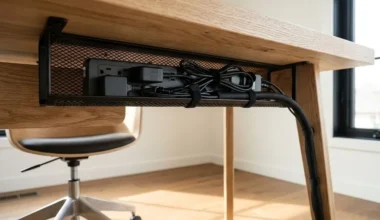
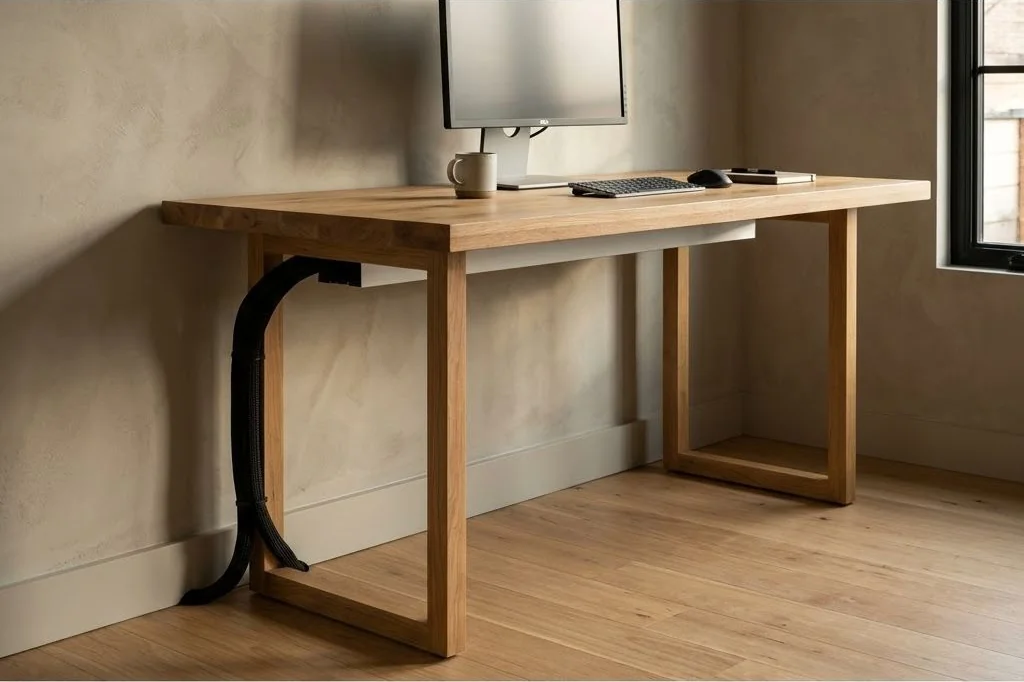
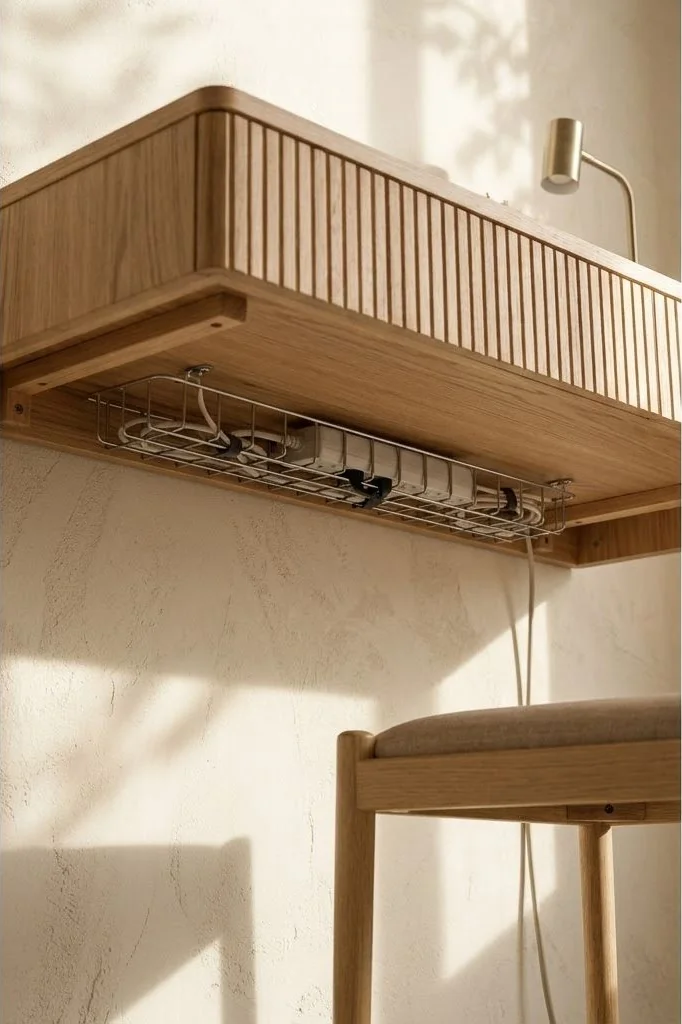
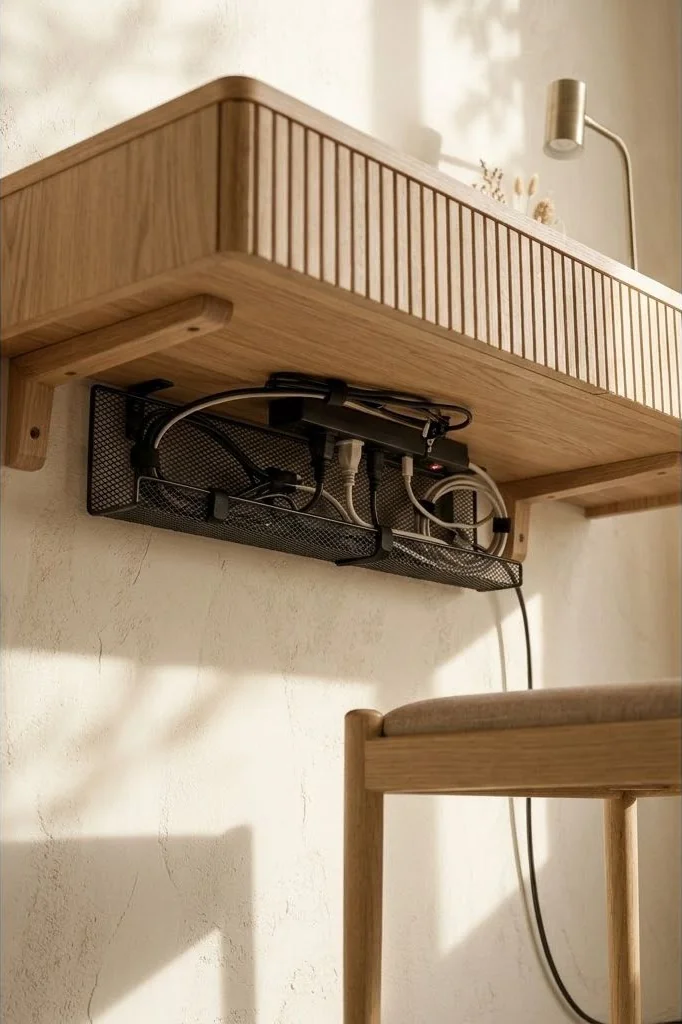
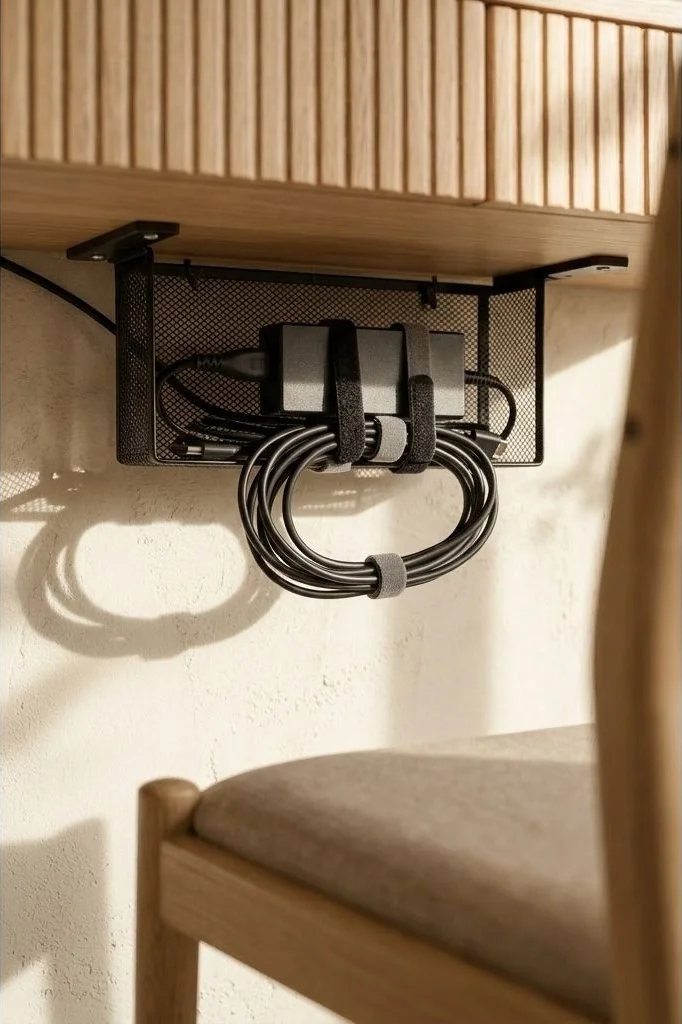
To execute this protocol, mount a heavy-duty, surge-protected power distribution unit directly to the underside of the wooden desk top. Every peripheral device – monitor power bricks, laptop docking stations, desk lamps, and speaker amplifiers – connects directly into this centralized under-desk strip. Any excess wire length is neatly bundled, cinched with hook-and-loop straps, and rested within the tray. Finally, a single heavy-gauge electrical cord drops gracefully from the power strip down the least visible desk leg to the baseboard outlet.

Under-Desk Tray Selection and Mounting Mechanics
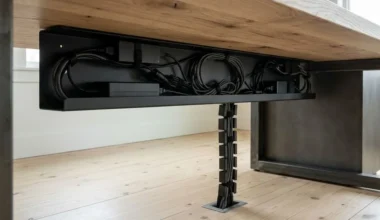
The physical heart of wire concealment is the under-desk tray. Choosing the appropriate tray geometry prevents wires from spilling over the lip and ensures adequate passive thermal dissipation for warm laptop chargers:
Wire Mesh Steel Trays offer superior airflow and provide hundreds of natural anchor points for hook-and-loop ties. Their open structure prevents heat buildup from high-wattage power supplies while keeping cords completely out of sight from standing or seated sightlines.
Enclosed Sheet Metal Channels provide an ultra-clean, monolithic look, ideal for floating desks positioned in open rooms where the desk underside might be visible from lounge seating. Ensure enclosed channels feature generous side grommet cutouts for smooth cable entry and exit.
For an in-depth breakdown of installation measurements and load capacities, explore our technical guide on under-desk cable management tray setup.
Leg Routing: Braided Sleeves and Magnetic Raceways
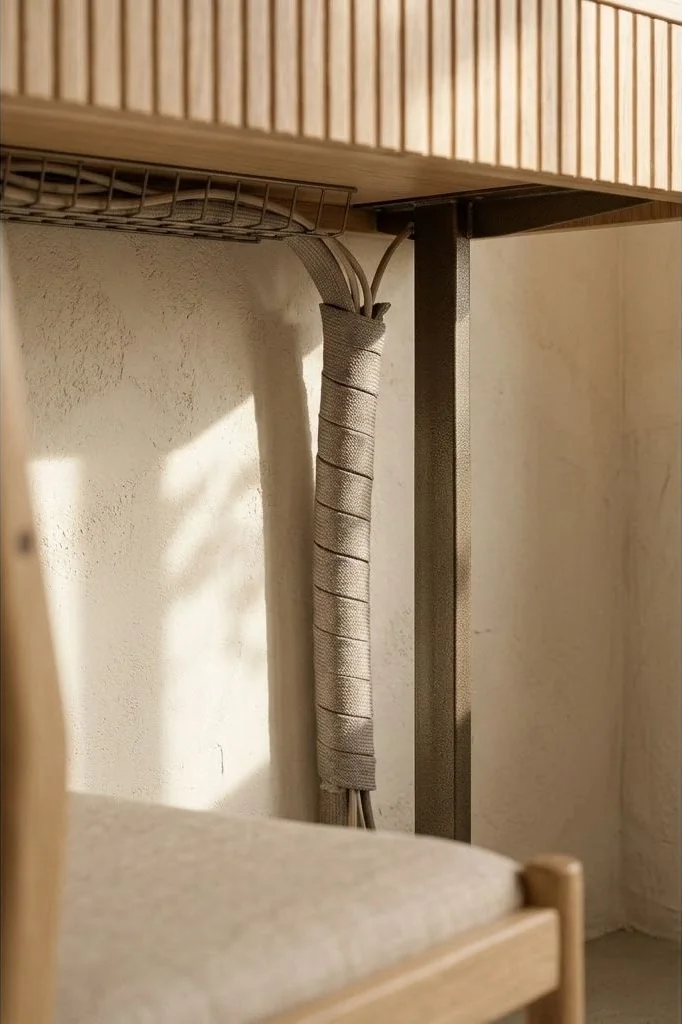
Concealing cables along the transition from desktop to floorboard is where most DIY cable setups fail. Leaving the single drop cord loose creates a sloppy, curved line that spoils the crisp geometry of minimalist steel desk legs.
For static desks, self-wrapping split braided sleeving in matte black or heather grey provides a tailored, tailored appearance. The sleeve clasps tightly around the drop cord and desk lamp power leads, clinging magnetically or adhering with low-profile clips along the inner backside channel of the leg.
For motorized sit-stand desks where height shifts dynamically, an articulated plastic cable spine or magnetic vertebrae system is mandatory. The spine flexes smoothly as the desk rises or lowers, preventing cables from being pulled taut or pinched inside telescoping leg columns.
Concealing Display and Peripheral Connections
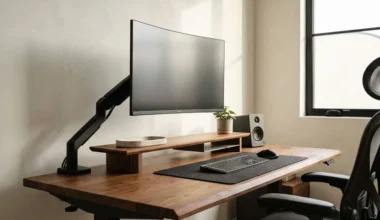
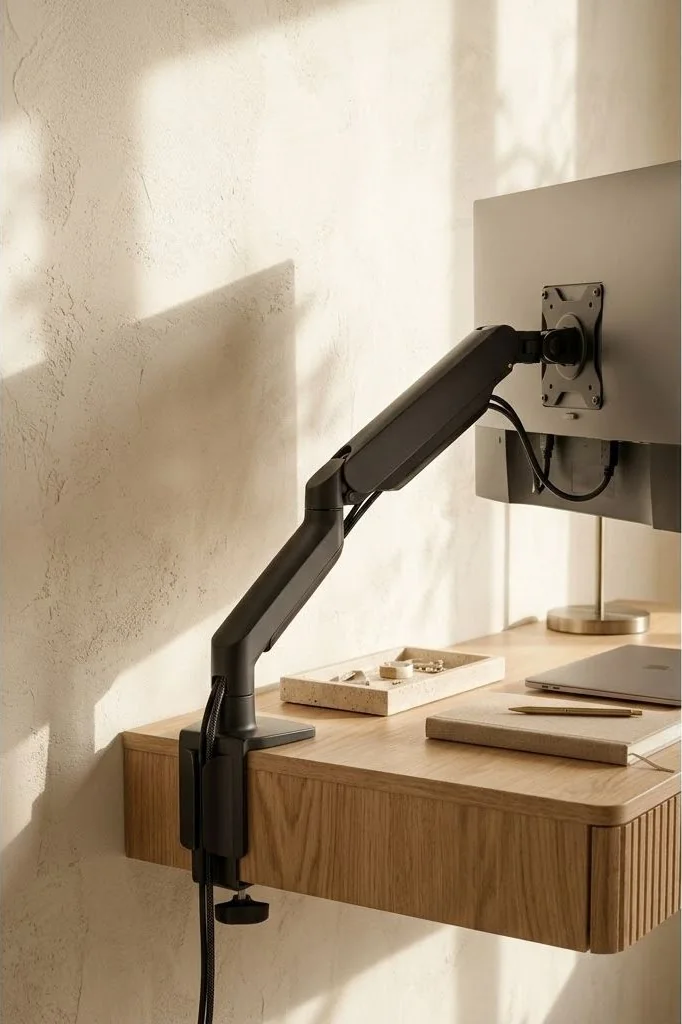
Cables running between monitors and computers require equal architectural discipline. Modern monitors mounted on articulated gas-spring arms often feature built-in plastic channel covers designed to guide HDMI and DisplayPort cords through the arm segments.
To achieve clean routing, remove the factory covers, thread the cables through the joints with adequate slack for rotation, and secure them firmly before snapping the covers back into place. For detailed step-by-step guidance on tensioning and routing monitor lines, review our companion analysis of monitor arm cable management techniques.
On the desktop plane, position wireless charging pads and laptop docks directly behind the monitor riser. This shields all connector heads behind the screen bevel, maintaining a completely uncluttered wooden expanse in the primary foreground.
Sustaining a Zero-Wire Environment Over Time
A zero-visible-wire desk setup is only as enduring as its maintenance protocol. Avoid the temptation to use single-use plastic zip ties during assembly. Zip ties require sharp snipping shears to remove, creating frustration whenever a charger or monitor cable needs replacement, which inevitably results in messy temporary workarounds.
Instead, standardize on reusable hook-and-loop fabric straps and soft silicone cable saddles. Label both ends of every power brick and data cable with discrete matte tags during initial installation. As documented by design curators at Dwell, designing functional home offices with thoughtful adaptability ensures spaces remain serene and clutter-free for years of evolving technology.
Core Spatial Principles for Nordic Workspaces
To ensure your workspace layout retains its serene balance through evolving seasons and technology updates, anchor your setup around three timeless architectural guidelines:
First, maintain visual lightness by preserving negative space. Resist the urge to fill every square inch of your desktop with gadgets or decorative items; bare wood surface is itself a restorative visual rest for tired eyes. Second, establish consistent material dialogue throughout the room. If your desk features white oak, echo that pale grain in picture frames, floating bookshelves, or flooring trims. Third, hide technical friction completely: ensure that all power distribution, charging cables, and peripheral transformers remain entirely invisible from normal standing and seated sightlines.
Cultivating Enduring Harmony in Intentional Workspaces
Creating an inspiring Scandinavian workspace is not a fleeting weekend project or an exercise in surface styling. It represents a deeper architectural dialogue between physical form, natural textures, and the mental rhythms of daily work. When you eliminate chaotic cable nests and replace synthetic surfaces with honest, living timber, the entire emotional resonance of the room transforms.
Each morning becomes an opportunity to step into an environment specifically engineered to protect mental clarity and nurture deep creative immersion. By investing care into fine details – from tactile wood grains and recessed cable trays to balanced 2700K ambient illumination – you build an enduring sanctuary that honors both personal wellbeing and professional craft.
Frequently Asked Questions
What is the single most common mistake in minimalist desk cable management?
Leaving power bricks and surplus cord slack resting directly on the floor where they collect dust and create visual chaos.
How can I conceal power cords on a motorized sit-stand desk?
Install a flexible articulated cable spine or snake conduit that expands and contracts vertically along the desk leg without snagging.
Are adhesive cable clips safe for the underside of solid wood desks?
While adhesive clips work temporarily, small wood screws paired with nylon cable clamps provide permanent, secure mounting without adhesive degradation.
How do I route cables from desktop peripherals like keyboards and mice?
Opt for low-latency wireless peripherals or route wired connections directly beneath an extended wool desk mat to hide entry holes.