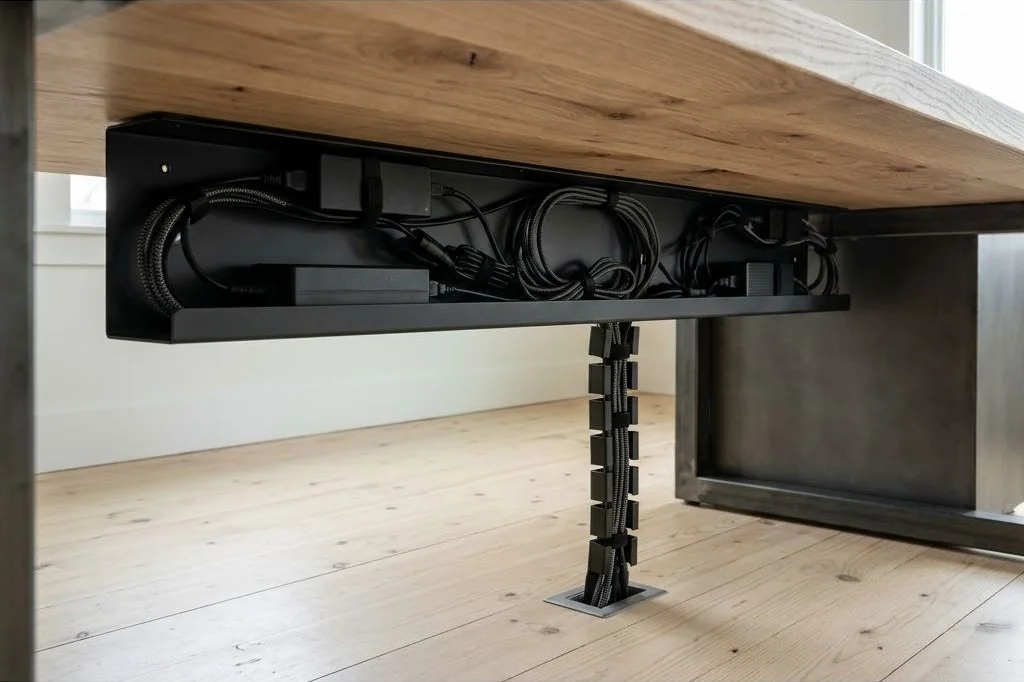
An under desk cable management tray setup forms the structural backbone of any intentional Scandinavian workspace. While the desktop surface showcases curated notebooks, natural timber grain, and tactile desk pads, the underside houses the functional engine of modern productivity. Without a disciplined under-desk containment system, heavy AC adapters, excess cords, and multi-outlet power strips sag into view, disrupting clean architectural sightlines.
Transforming the chaotic zone beneath your workstation into an organized utility bay requires understanding weight distribution, mechanical fastening, and thermal dynamics. Modern laptops and high-resolution monitors draw significant electrical wattage, producing concentrated heat in external transformer bricks. Engineering an under-desk wire raceway safeguards both hardware longevity and domestic peace of mind.
Key Takeaways
Essential strategies for organizing under-desk wire trays:
- Folded sheet steel trays provide total visual shielding for bulky power bricks, whereas open wire mesh baskets maximize passive heat convection.
- Installing threaded brass inserts into solid hardwood tops enables infinite tray removal cycles without stripping delicate wood fibers.
- Anchoring the primary surge protector directly to the rear lip of the tray eliminates socket strain during cable insertions.
- Maintaining at least one inch of clearance between high-wattage charging bricks prevents dangerous thermal accumulation beneath wood surfaces.
- Utilizing the figure-eight coiling method on excess cords cancels internal wire torsional memory and reduces inductive resistance.
Wire Mesh vs Folded Steel Cable Trays
Selecting the right under-desk tray format begins with evaluating the trade-offs between folded sheet metal and open wire mesh construction. Folded steel trays feature solid or slotted front aprons that completely obscure cords, adapters, and plugs from view when seated or standing nearby. They create an architectural, monolithic appearance that complements Nordic minimalism. For broader spatial design frameworks, consult the Ornista workspace principles.
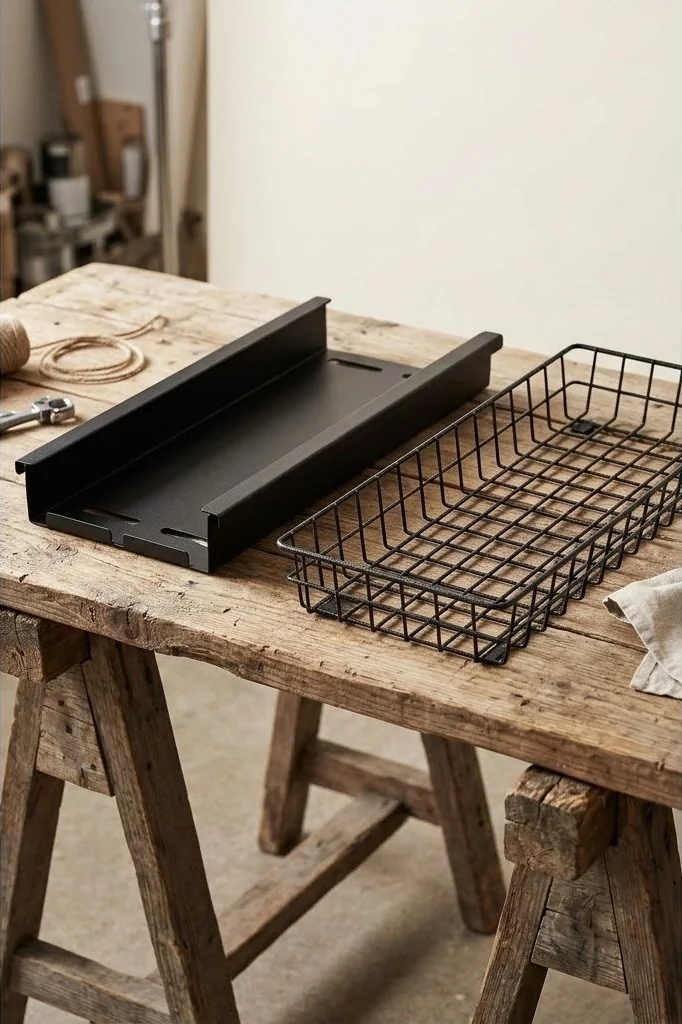
Conversely, welded wire basket trays offer unparalleled thermal ventilation and routing versatility. Cables can enter and exit through any grid opening along the perimeter, eliminating rigid routing bottlenecks. In setups powering dual monitors, audio monitors, and docking hubs simultaneously, open mesh baskets prevent ambient heat pockets from forming beneath the work surface. Many refined setups combine both: a central folded steel trough to hide power bricks, flanked by open wire channels for clean peripheral routing.
Secure Mounting in Solid Wood Without Splitting Grain
Mounting heavy metal trays packed with transformer bricks under a solid wood desktop requires careful attention to joinery. Driving standard coarse drywall screws directly into dense oak or walnut risks splitting the wood fibers along seasonal grain lines. Furthermore, wood screws quickly strip their threads if you ever need to dismount the tray for maintenance or office relocation.

The craftsman approach involves installing flanged brass or zinc-alloy threaded inserts. By drilling shallow, flat-bottom pilot holes using a depth stop and threading M5 or M6 machine inserts into the wood with a drop of beeswax, you create permanent machine-screw anchor points. This enables you to bolt heavy-duty steel brackets flush against the timber underside with absolute rigidity. When paired with comprehensive hidden cable routing for minimalist desk setup, this hardware foundation ensures your wiring infrastructure remains rock-solid for decades.
Power Strip Anchoring: Heavy-Duty Fasteners vs Brackets
A loose surge protector sliding around inside an under-desk basket creates daily operational friction. Every time a charger is plugged in or removed, the strip shifts, tugging on delicate connector pins. Anchoring the power strip firmly to the tray frame or desk underside transforms it into a stationary electrical panel.
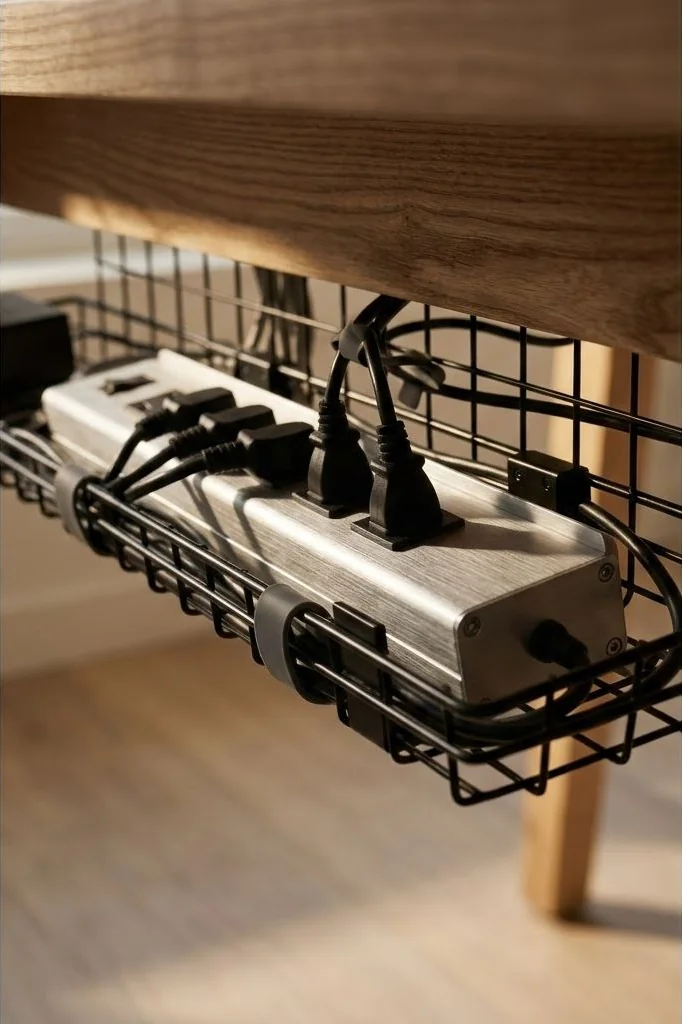
While standard consumer strips rely on keyhole slots, precision setups utilize metal power distribution units (PDUs) featuring integrated end-mounting tabs. Bolting these flanges directly to the rear upright of the cable tray positions the outlets horizontally. This orientation allows bulky wall-wart transformers to hang downward into the tray cavity without blocking neighboring ports, keeping the upper access corridor clear for routine cord adjustments.
Thermal Dissipation and Power Brick Organization
Modern USB-C Power Delivery charging bricks and display power supplies convert alternating current to direct current, producing residual thermal energy. Stacking multiple power bricks directly on top of one another inside an unventilated wooden enclosure creates a localized heat trap that can degrade internal electrolytic capacitors and trigger automatic thermal throttling.
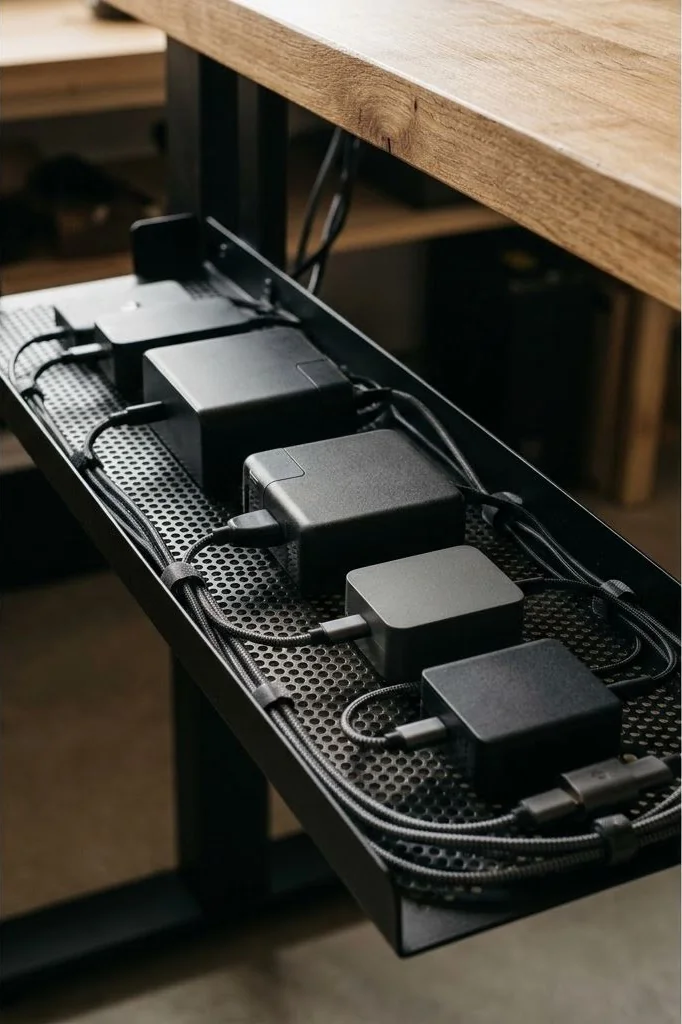
Maintain an intentional gap of at least 1 inch between adjacent power bricks. Use high-tension elastic silicone cords or perforated metal dividers to hold each adapter vertically on its edge rather than lying flat on its broadest face. This vertical orientation exposes maximum surface area to ambient airflow, enabling natural convection currents to cool the casings. Safety guidelines established by Underwriters Laboratories confirm that adequate physical spacing between power supplies drastically reduces fire risks and extends power supply operating lifespans.
Coiling Techniques: Figure-Eight Loops vs Circular Binds
Dealing with excess cable length is the most common pitfall in desk organization. The intuitive impulse to wind long display and power cables into tight, circular loops introduces torsional strain into the internal copper conductors. Over months of compression, circular coils develop memory twists that make cables stiff, unruly, and prone to internal solder fatigue.
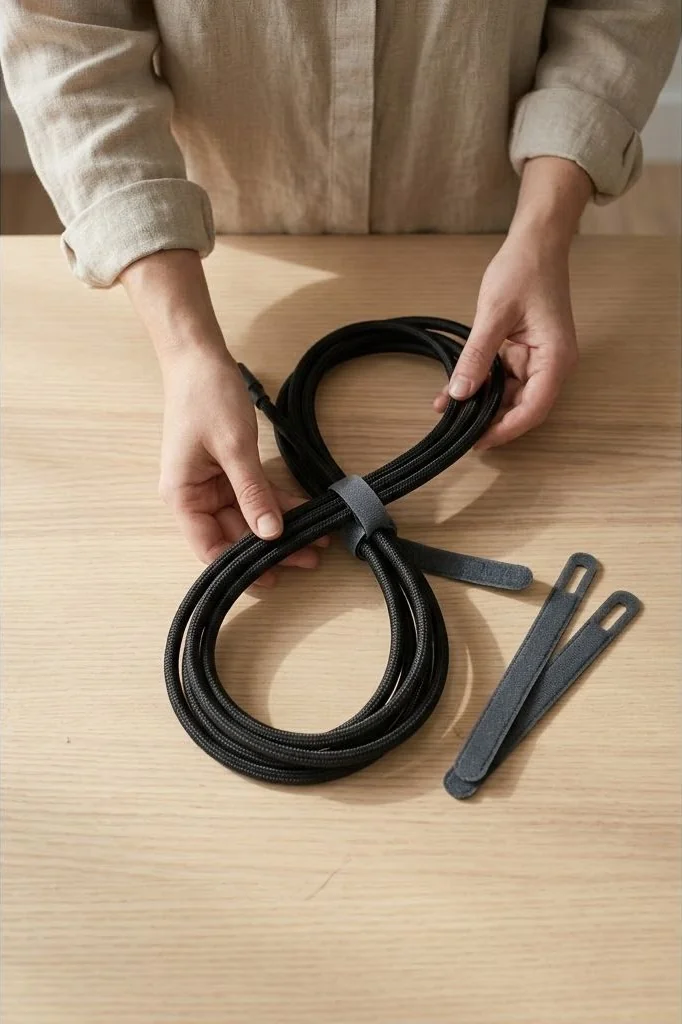
Professional broadcast and aerospace technicians rely instead on the figure-eight folding technique. By folding the slack back and forth in an alternating figure-eight pattern, each half-twist counteracts the previous one, neutralizing torsional tension. Secure the center of the bundle using reusable microfiber hook-and-loop wraps rather than single-use plastic zip ties. This allows the wire to rest flat against the tray base while remaining effortless to reconfigure when upgrading workstation gear.
Accessibility Clearance: Reaching Ports Without Desk Inversion
An under-desk cable management system is only as successful as its ongoing maintainability. If adding a new peripheral requires crawling on your back with a flashlight or inverting an entire heavy hardwood desk, the system will inevitably descend back into disorder over time.
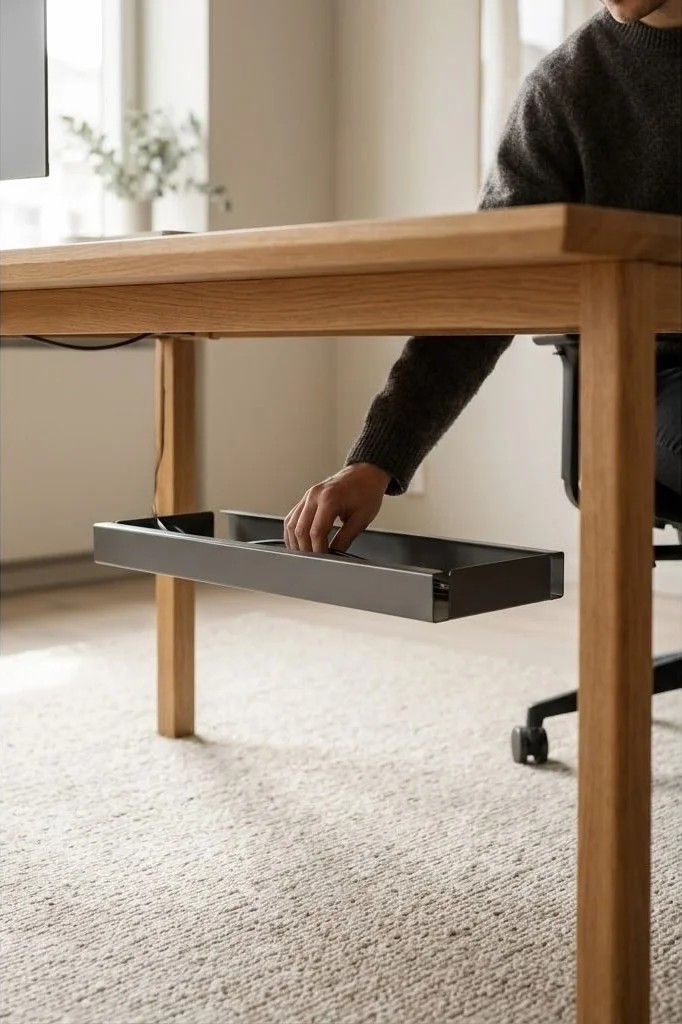
Position the mounting brackets with an intentional 3-to-4 inch setback from the rear edge of the desktop. This inset conceals the tray from standing sightlines while allowing your hands to reach over the back of the work surface to plug in temporary devices effortlessly. For desktop items that require frequent connection changes, integrating a complementary Scandinavian desk shelf organization system provides an upper-tier pass-through layer, keeping fast-access ports within arm’s reach.
Frequently Asked Questions
How much weight can an under-desk cable tray support?
A quality folded steel or wire mesh tray mounted into solid wood with threaded inserts can easily support 15 to 25 pounds of hardware. This provides ample capacity for multiple heavy power bricks, surge protectors, and dense cable bundles without sagging.
Should power strips be mounted horizontally or vertically?
Mounting power strips vertically along the rear wall of the tray or horizontally facing into the tray basin keeps power plugs protected from foot kicks and prevents wall-wart adapters from protruding past the desk perimeter.
Can cable trays cause power bricks to overheat?
Yes, if power supplies are stacked tightly together without ventilation. Always space charging adapters at least one inch apart and choose trays with perforated bases or open wire mesh to allow passive convective cooling.
What is the best way to secure cables inside the tray?
Reusable microfiber hook-and-loop straps and soft silicone bands are best. They hold wire bundles securely without pinching cable jackets and make adding or replacing components fast and painless compared to rigid plastic zip ties.
A disciplined under-desk cable management tray setup brings calm architectural balance to the concealed dimensions of your office, proving that true craftsmanship honors every angle of the working environment.